One system for the whole school day
From the gate scan at 7:20 to the board meeting at the end of term, ClassConnect keeps registers, marks, report cards, parents, fees and the bursary in one place – built around how Jamaican high schools actually run.
Ready for CSEC, CAPE and PEP, PATH lunches, the Annual School Census, CPFSA reporting and the Data Protection Act, 2020. Works on any phone, even when the signal drops.
A day at your school, in ClassConnect
Follow a normal Tuesday. Every step below is something the school already does – ClassConnect just makes it quicker, and joins it up.
-
Students scan in with their ID card
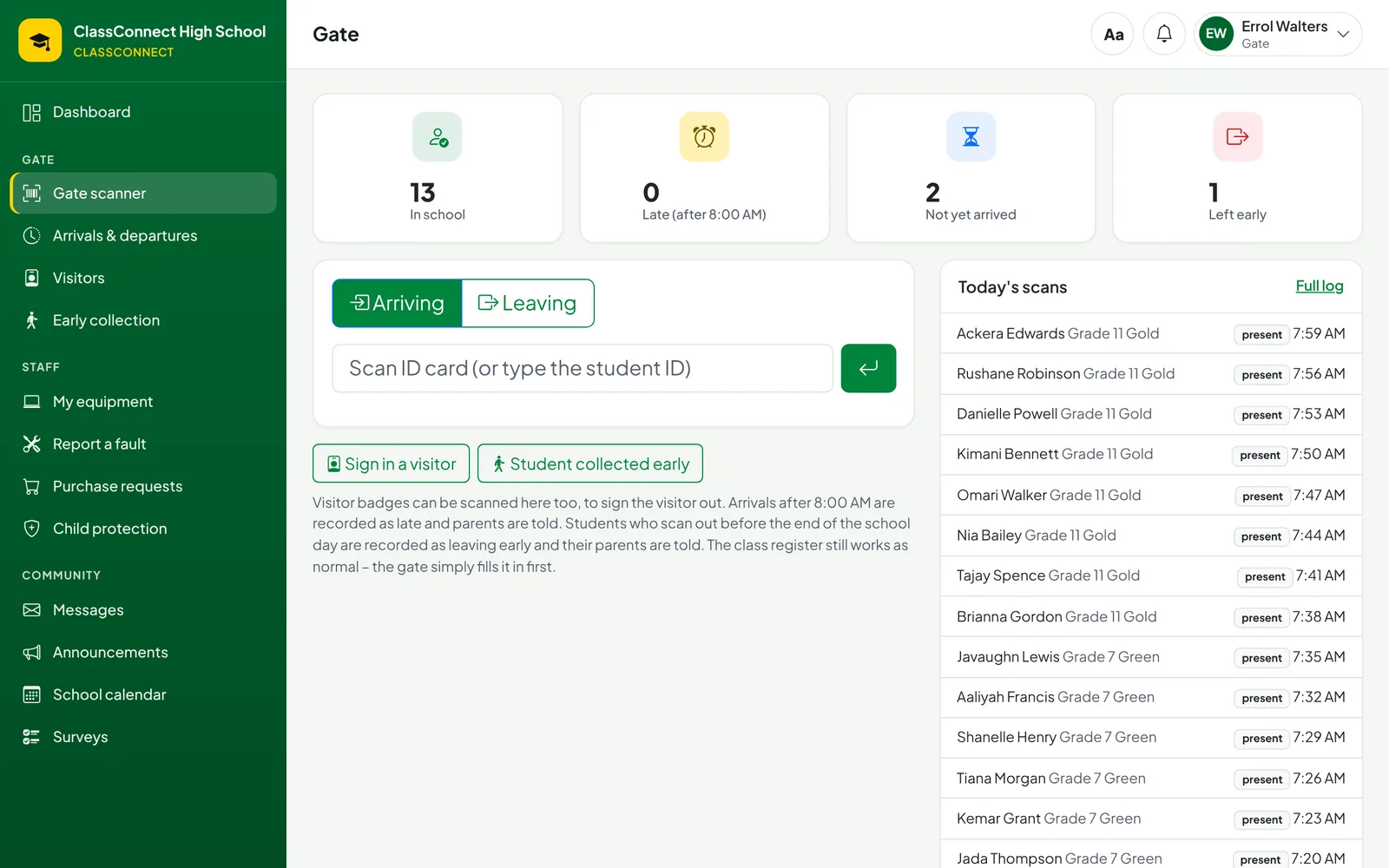
Security scans each photo ID card. Students are marked present, or late after the time you choose, and parents get a message if their child arrives late. Visitors sign in with a printed badge and the member of staff they're seeing is told they've arrived.
Used by the gate, the front office and grade supervisors
-
Registers that are already half done
Form teachers take the register on a phone – offline if the Wi-Fi is down – and it fills in from the gate. Staff sign in for the day, and if a teacher is absent the cover planner shows exactly who is free each period.
- Absences and early leaves go to parents automatically
- Cover sheets print in one click
-
Teaching, marking and homework
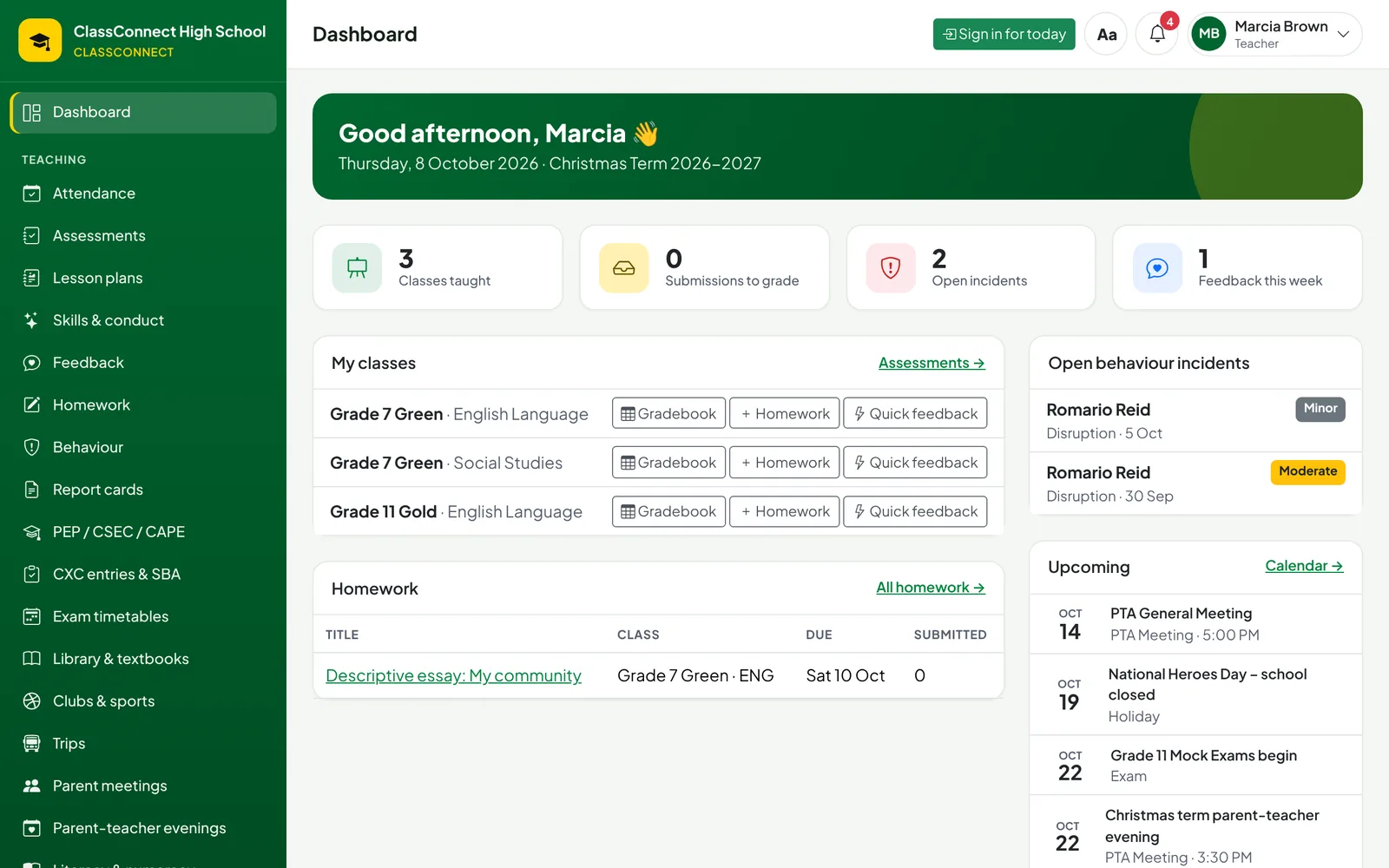
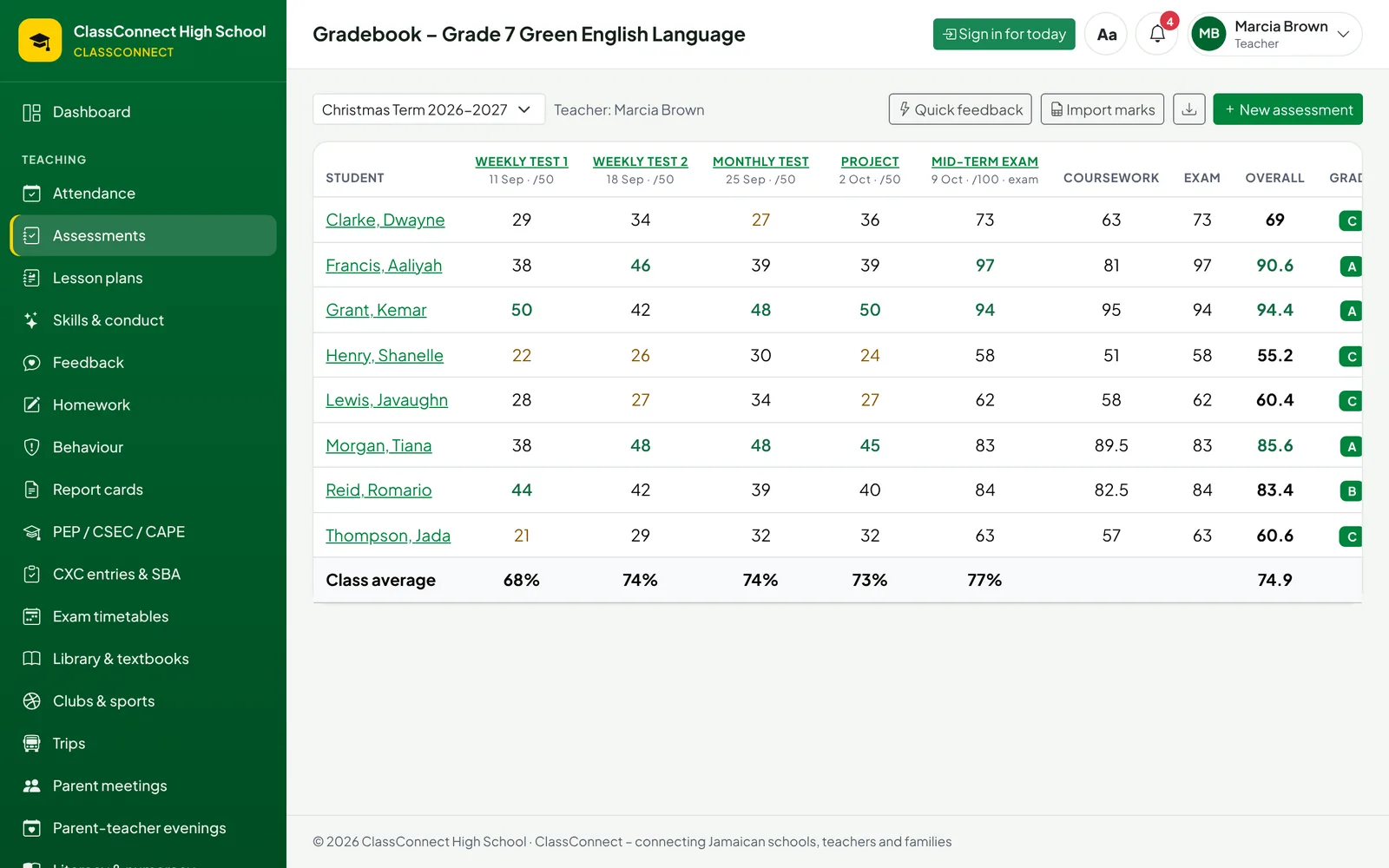
Weekly tests, projects, SBAs and exams go into one gradebook with weighted coursework. Homework is set with attachments and handed in online. Lesson plans go to the principal for approval, and teachers leave quick feedback that parents can see.
-
Pastoral care that notices early
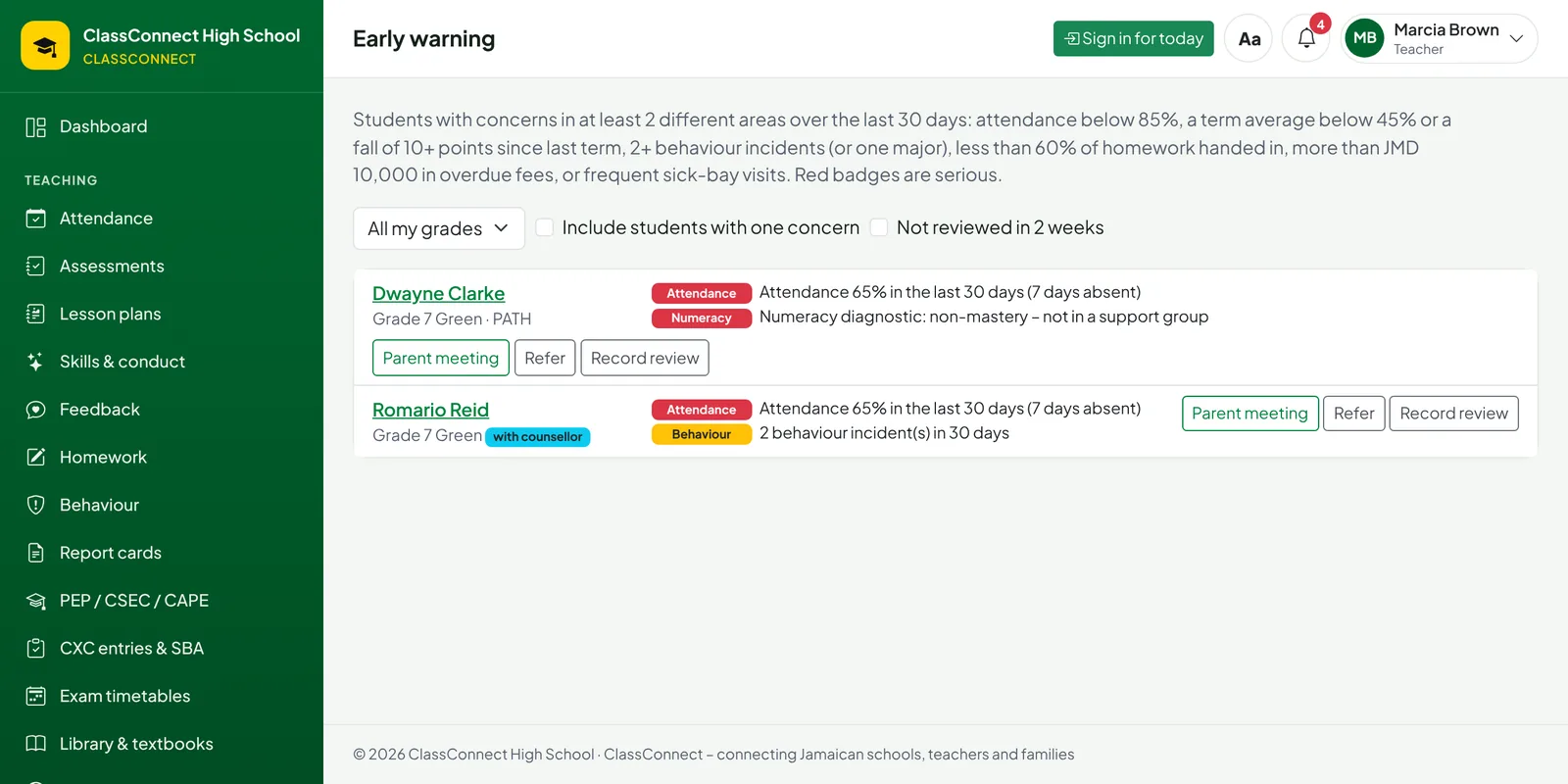
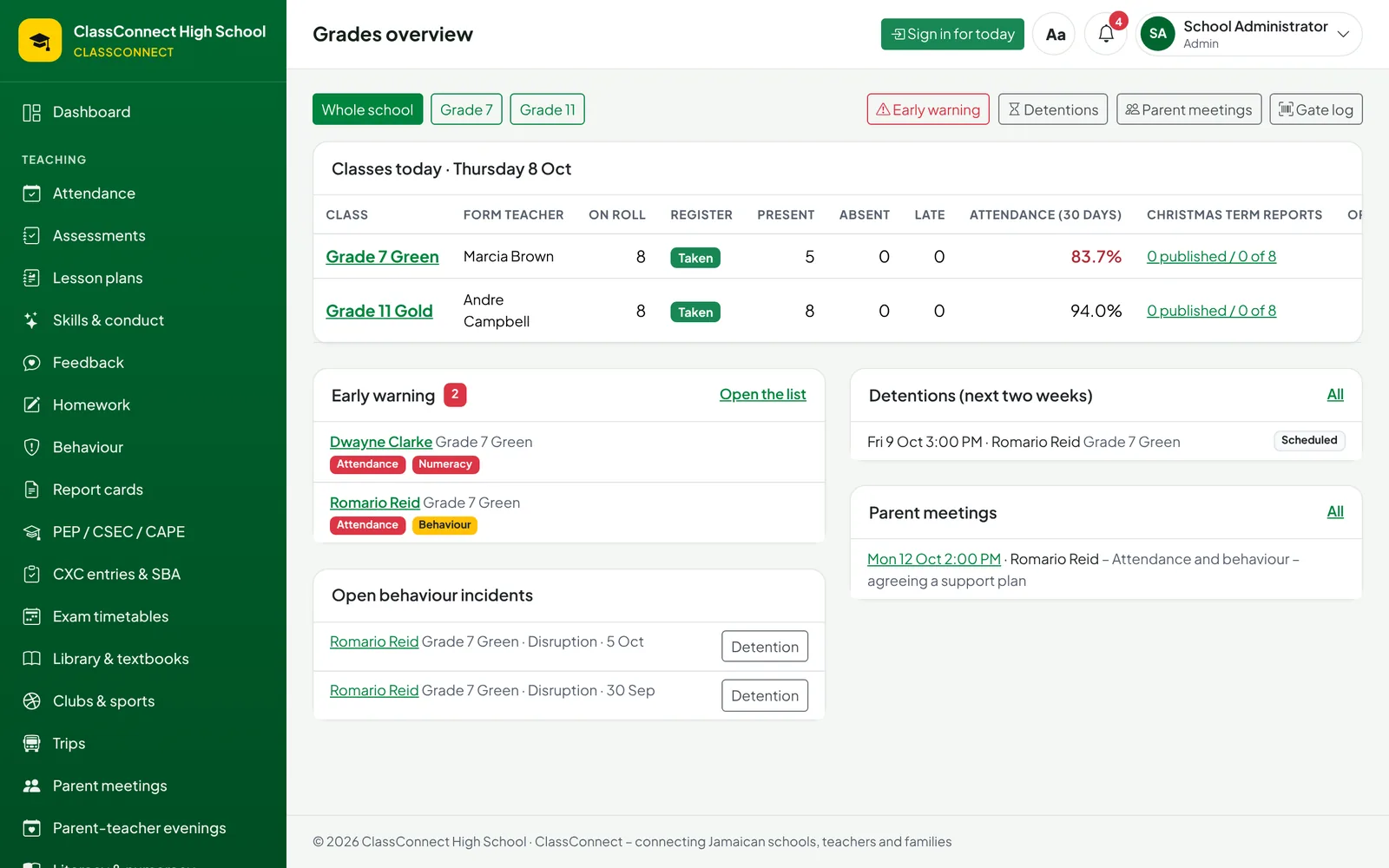
Behaviour incidents, sick-bay visits and counselling referrals are logged as they happen. The early-warning list brings together poor attendance, falling marks, incidents, missed homework and overdue fees, so grade supervisors see the students who are slipping long before report time.
- A weekly list every Monday for each grade supervisor, the deans and the guidance counsellor
- A locked child-protection log that only the designated lead can open
-
Lunch by ID card, with PATH meals recorded
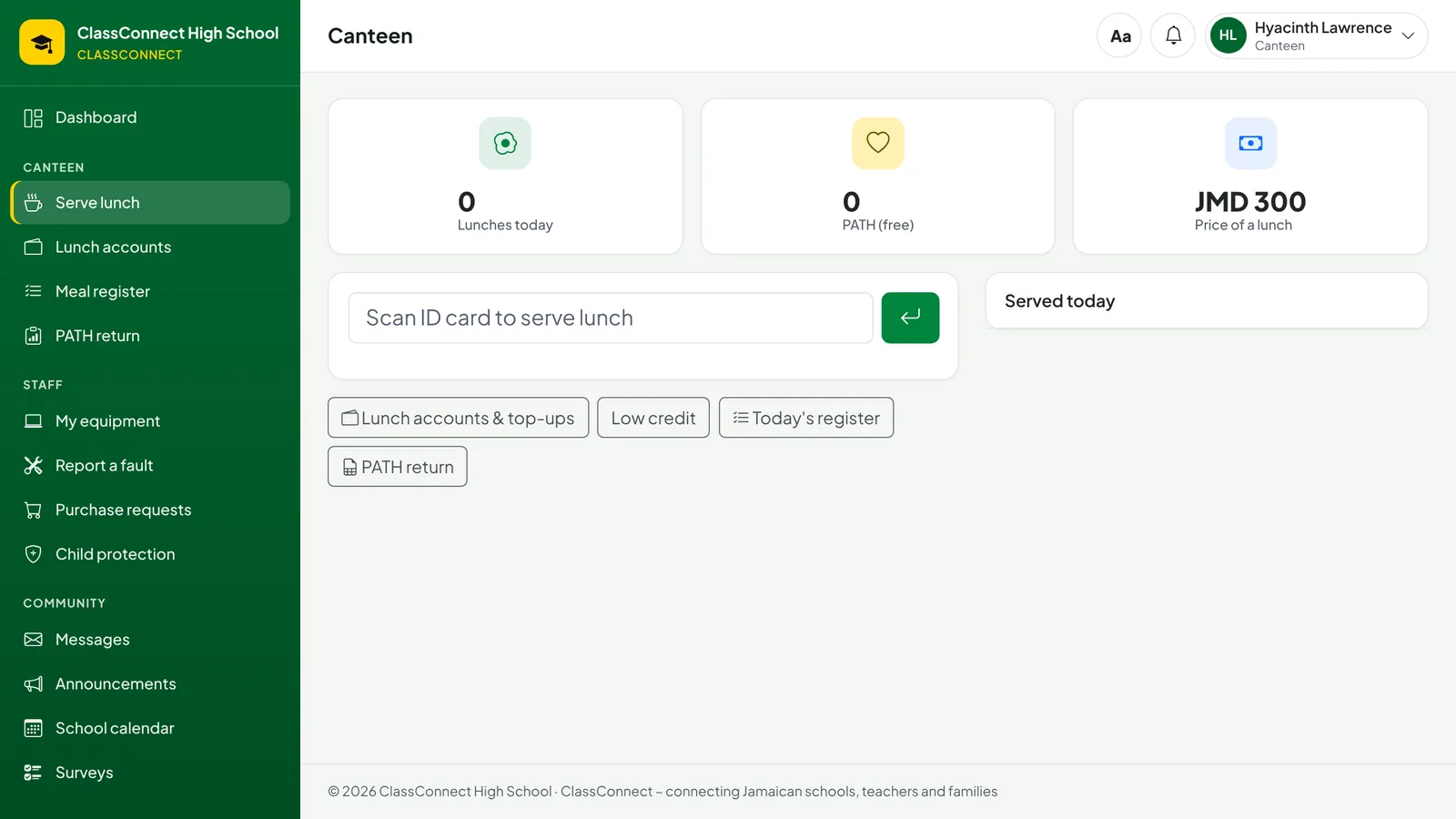
The canteen scans each card. PATH students eat free and are recorded for the Ministry, everyone else uses prepaid lunch credit that parents top up at the bursary. Parents are told when credit is running low.
-
Collections, trips and the library desk
When someone collects a student early, the gate checks them against the parent's own list of authorised adults, marks an early leave and tells the parents. Trip permission slips come back signed online, with medical notes for the teacher in charge. The library issues books and rental textbooks by scanning.
-
Clubs, detentions, reading groups and Champs
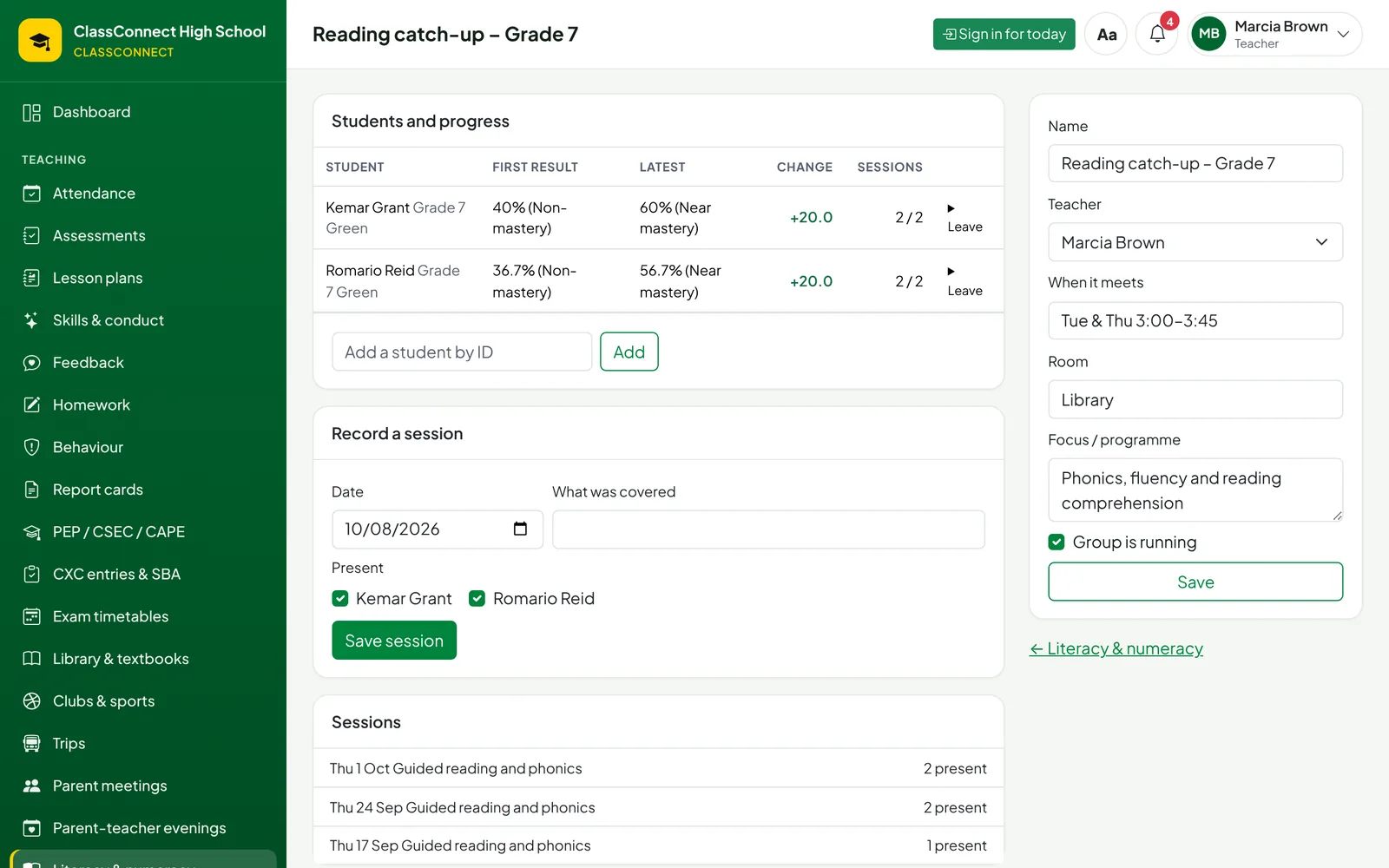
Detentions are scheduled with notice to parents. Reading and numeracy groups record who came and how they're improving since the Grade 7 diagnostic. Coaches enter athletes for Champs with age classes and eligibility checked for them.
-
Money in and money out
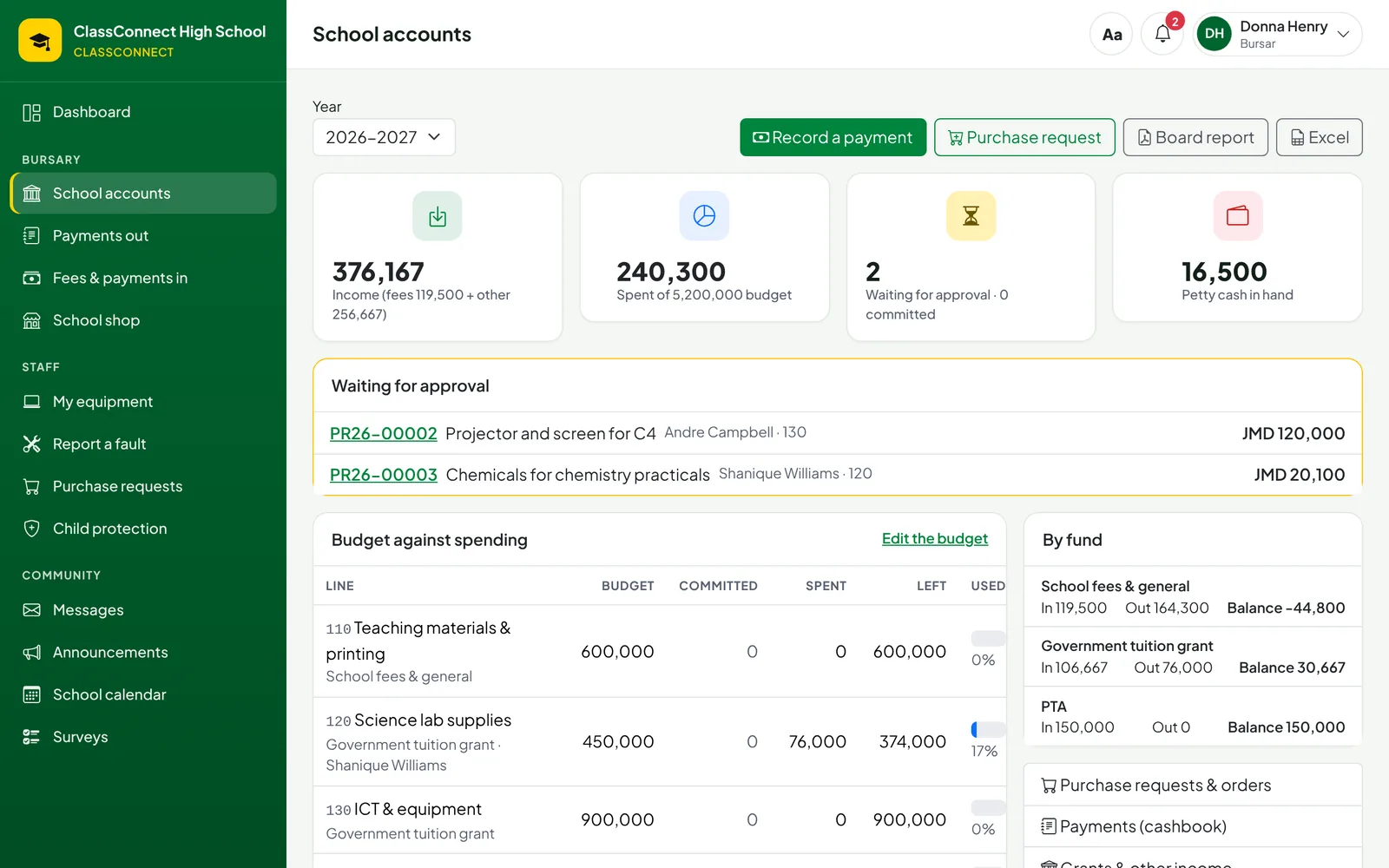
Fees, lunch credit and shop sales are receipted in one place. Staff request what they need to buy; the bursar or principal approves it against the budget; deliveries go straight into the inventory; suppliers are paid with numbered vouchers.
-
Parents know what's going on
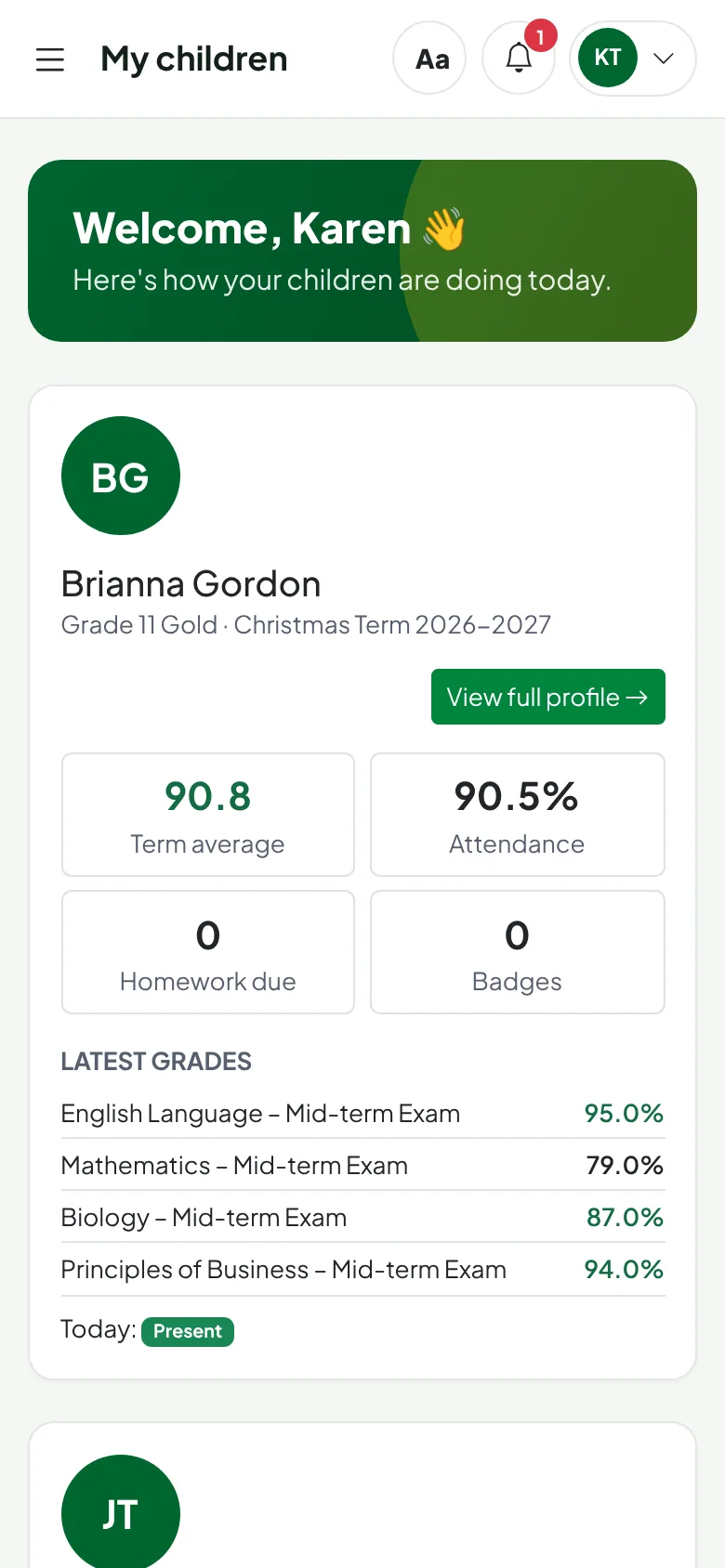
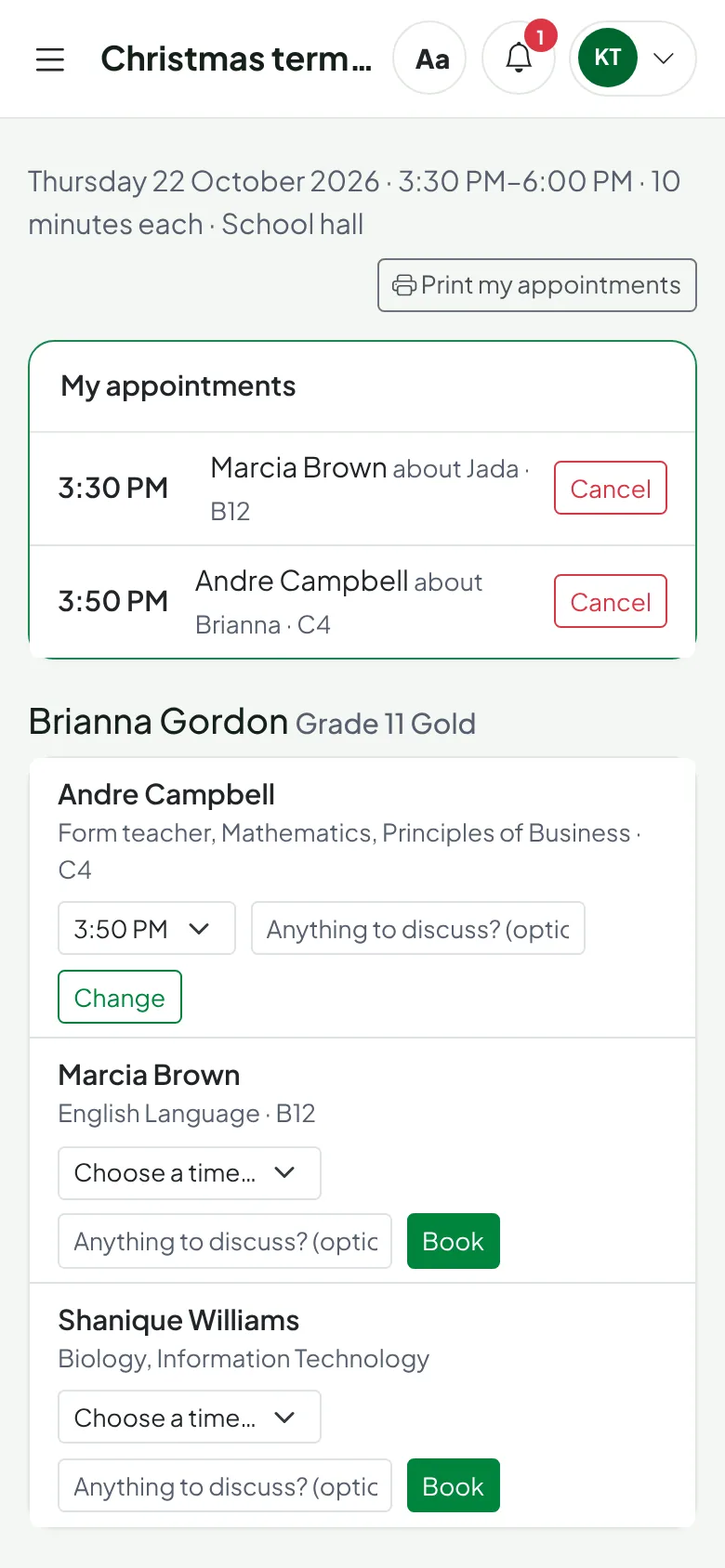
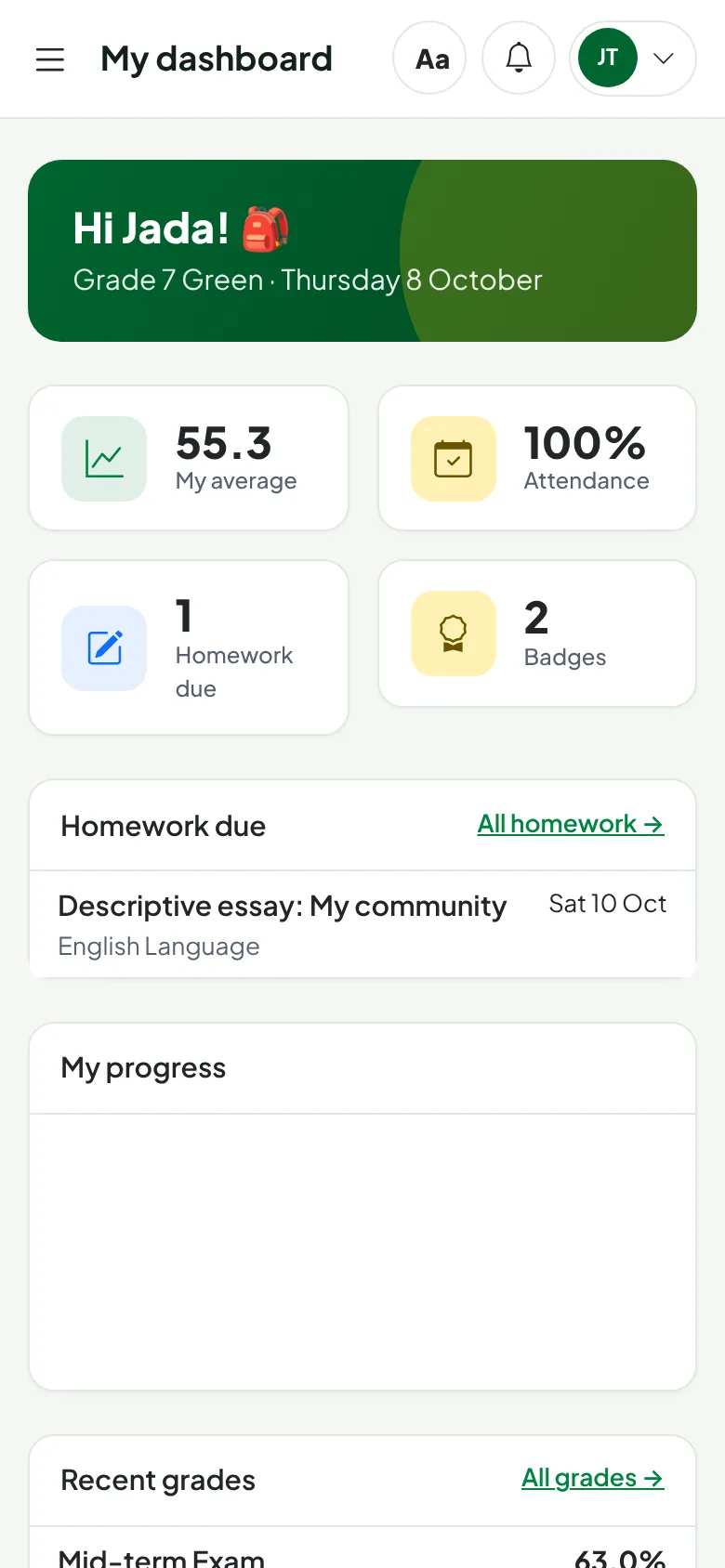
Parents see grades, attendance, homework, behaviour and fees for all their children in one app on their phone, message teachers, and book parent-teacher evening slots without the usual queue in the hall.
-
Report cards without the weekend of typing
Report cards calculate themselves from the gradebook – averages, positions, grades, attendance and conduct – with suggested comments teachers can edit. Print a whole class as one PDF or email them to every parent. Marks lock once reports are published.
-
Promotion, returns and a clean start
Promote students to next year's classes, fill in the Annual School Census automatically, import the PEP placement list so Grade 7 arrives ready-made, and archive the old year to keep everything fast.
Everything a school runs on
Dozens of connected features. Here are the main areas – see the full list.
Teaching & learning
- Gradebook with weighted coursework
- Homework with online hand-in
- Lesson plans and approval
- Timetable builder
- Literacy and numeracy groups
Reports & exams
- Report cards and class PDFs
- CSEC, CAPE and PEP readiness
- CXC registration and SBAs
- Exam timetables and seating
- Transcripts with QR verification
Attendance & the gate
- Offline registers on a phone
- Photo ID cards and gate scanning
- Visitors and early collection
- Staff attendance, leave and cover
Pastoral care & safety
- Behaviour, detentions and meetings
- Early-warning list
- Grade supervisors and deans
- Guidance counselling and sick bay
- Child-protection log
Parents & students
- Parent and student apps
- Messages and notifications
- Parent-teacher evening booking
- Trip permission slips
- Surveys and letters on request
Money & operations
- Fees, receipts and statements
- Budget, purchases and payments
- Lunch credit and PATH meals
- School shop
- Library, textbooks and inventory
School life
- Houses and house points
- Clubs, teams and badges
- Sports meets and Champs entries
- Achievements on report cards
Administration & the Ministry
- Online Grade 7 admissions
- Census and MoEYI returns
- PEP placement import
- Inspection evidence pack
- Year-end promotion and archive
Everyone sees what they need – and nothing they shouldn't
Each person signs in to a version of ClassConnect shaped for their job.
Principal
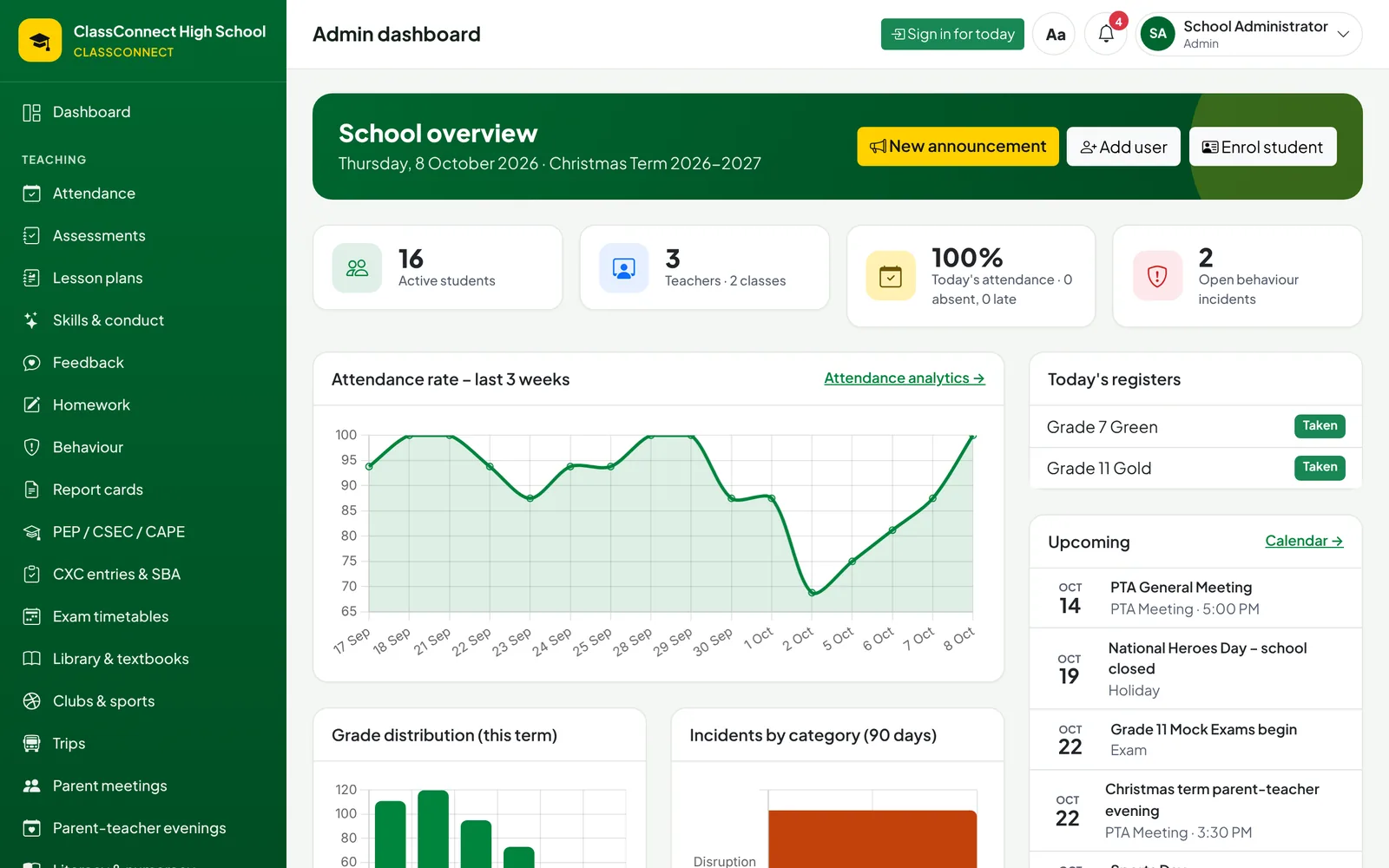
- The whole school at a glance: attendance, results, incidents and money
- Approve lesson plans, unlock marks and large purchases
- Ministry returns, the census and an inspection evidence pack in a click
- A principal's report and finance report for the board
- Branding, letterhead, signature and stamp on every document
Teacher
- Registers on a phone, even offline
- One gradebook for tests, projects, SBAs and exams – or import your spreadsheet
- Homework, feedback and messages to parents
- Suggested report comments you can edit
- Your timetable, cover duties and invigilation
Grade supervisor or dean
- Every class in your grade: today's registers, attendance and report progress
- The early-warning list for your grade, every Monday
- Schedule detentions and parent meetings – parents are told and can reply
- Late arrivals and early leaves from the gate
Bursar
- Fees, lunch credit and shop sales with numbered receipts
- The budget by fund – school fees, tuition grant, PTA
- Purchase approvals, orders, supplier payments and petty cash
- Statements for parents and an Excel export for the accountant
Parent
- All your children in one account
- Grades, report cards, attendance, homework and behaviour
- Fees and lunch credit balances
- Sign trip permission slips and book parent-teacher evening slots
- Choose who may collect your child from school
Student
- Homework due, handed in and marked
- Grades, feedback and progress through the term
- Timetable, exam timetable and exam seat
- Badges, house points, library books and CSEC subject choices
Gate, canteen, nurse, librarian and counsellor
- Each has a simple screen for their own desk
- Scanners work with a USB barcode reader or a phone camera
- The nurse and counsellor keep encrypted notes only they can read
- Nobody sees marks, fees or records that aren't part of their job
Made for Jamaican schools, not adapted for them
ClassConnect speaks the language of your school: terms, grades, CXC, the Ministry and the way parents actually use their phones.
- CSEC & CAPE
- Subject choices, registration exports, SBA deadlines and moderation samples, results that feed transcripts.
- PEP
- Readiness tracking, online Grade 7 applications with PEP details, and placement-list import.
- PATH
- Free lunches recorded at the canteen, fee discounts, and a PATH return with the attendance check.
- MoEYI
- The Annual School Census workbook, enrolment and attendance returns, and an inspection evidence pack for the NEI's eight indicators.
- CPFSA
- A child-protection log with reporting deadlines and reminders.
- Champs
- Age classes and eligibility for ISSA meets, entry lists and results.
- DPA 2020
- Consent records, access requests, anonymising and retention rules under the Data Protection Act.
Children's information, handled carefully
Schools hold some of the most sensitive information there is. ClassConnect is built so the right people see it and nobody else does.
Encrypted where it matters
Addresses, TRNs, medical notes, counselling notes and child-protection records are encrypted in the database, not just behind a password.
Every change is recorded
An audit log shows who changed what and when – without exposing the sensitive values themselves.
Roles, not shared logins
Each person gets their own sign-in and sees only what their role needs. Child-protection cases are hidden even from administrators unless they are a designated lead.
Your school, your data
Each school runs its own installation and database, and can export or delete a student's records on request.
Accessible to everyone
WCAG 2.2 AA colours, larger-text and high-contrast modes, keyboard access and screen-reader labels throughout.
Getting started
You don't need to retype anything or train everyone at once.
Bring in what you have
Import students, parents and staff from your existing Excel or CSV lists. Classes, logins and parent links are created for you, with printable login slips.
Make it yours
Add your crest, colours, principal's signature and stamp, grading scales, terms and fees.
Start with registers and marks
Most schools begin with attendance and the gradebook, then switch on the gate, canteen and bursary when they're ready.
Invite parents
Parents get a welcome email or a login slip and can add the app to their phone's home screen.
Questions schools ask
Do parents need to download an app?
No. ClassConnect works in any phone browser and can be added to the home screen like an app, with real notifications. Registers keep working offline and send when the signal returns.
Can parents pay fees online?
Today, fees, lunch credit and shop sales are recorded at the bursary with proper numbered receipts, and parents see their balance in the app. Online card payments can be connected later through a payment provider of the school's choosing.
We already have marks in spreadsheets. Do we start again?
No. Students, parents, staff and teachers' existing marks can be imported from Excel or CSV, with a preview before anything is saved.
Where is our data kept?
Each school has its own installation and its own database. Backups, encryption keys and retention periods are set per school, in line with the Data Protection Act, 2020.
Does it work for primary schools?
ClassConnect is designed around high schools, but the registers, gradebook, report cards, PEP readiness, parents' app and fees work just as well for primary and preparatory schools.
What does it cost?
Pricing depends on the size of the school and how you'd like it hosted. Book a demo and we'll give you a quote.
See ClassConnect with your own school's day in mind
We'll walk your principal, bursar and a few teachers through it in about 45 minutes, online or at your school.
Or call +1 876 212 8000 or email [email protected]