Everything ClassConnect does
Every feature, grouped by the part of school life it belongs to. They all share one set of records, so a mark, an absence or a payment entered once shows up everywhere it's needed.
Teaching & learning
The everyday work of the classroom, in one place – so teachers spend their time teaching, not copying marks between books.
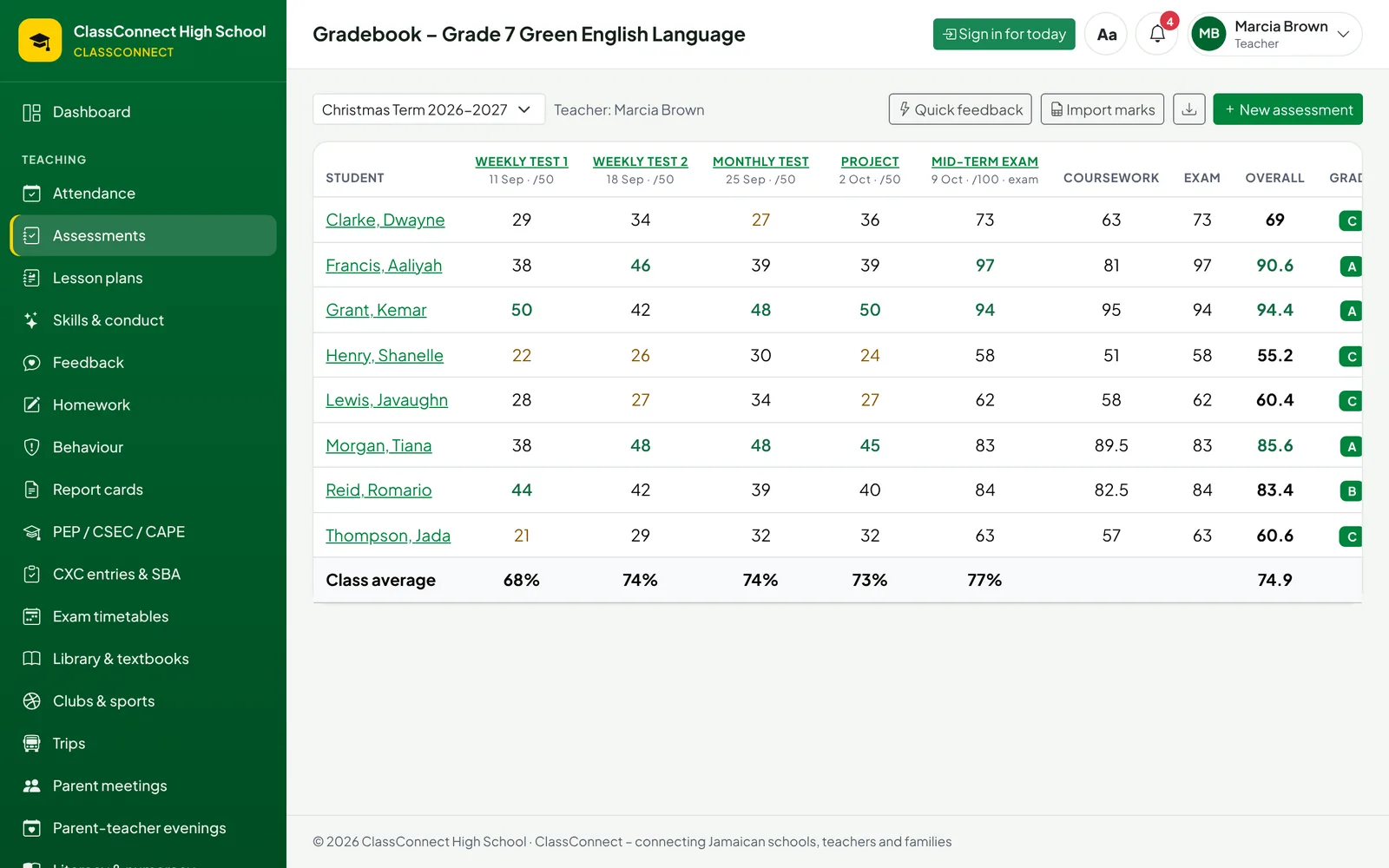
Gradebook
Weekly and monthly tests, projects, SBAs and exams in one gradebook for each class and subject.
- Weighted coursework and exam marks, worked out for you
- Letter grades from your own grading scales (CSEC, PEP or the school's own)
- Import marks teachers already keep in Excel
- Class averages and colour-coded marks at a glance
Skills & conduct
Rate reading, writing, numeracy, conduct and participation each term, alongside the marks.
For teachersTeacher feedback
Quick feedback (a rating, a short note or a badge) or detailed comments with an improvement plan.
- Flag feedback for a parent to read and acknowledge
- Staff-only notes that parents and students never see
Homework
Set homework with attachments and due dates; students hand it in online or it's marked as done in class.
- Automatic reminders before it's due
- Marking with feedback
- Completion figures for each class
Lesson plans & schemes of work
Teachers submit lesson plans; the principal approves them or returns them with comments. Teachers add a reflection after teaching.
For teachers, principalResource library
Notes, worksheets, past papers, mark schemes and links, shared by subject and grade.
For teachers, studentsTimetable builder
Set the bell schedule, lessons per week, double periods, labs and teachers' availability – ClassConnect builds a timetable with no clashes for classes, teachers or rooms.
- Preview by class or teacher before you apply it
- The cover planner and exam invigilation use it automatically
Literacy & numeracy support
Record the Grade 7 diagnostic tests, put students below mastery into support groups and re-test each term.
- Mastery bands you set
- Session attendance and each student's progress since the first test
- Students below mastery show on the early-warning list
Reports & exams
Report cards, external exams and official documents – done properly, and on time.
Report cards
Termly and yearly reports calculate themselves from the gradebook: averages, class positions, grades, effort, attendance, conduct and co-curricular activities.
- Suggested subject, form-teacher and principal comments that teachers edit
- A whole class as one PDF, or emailed to every parent
- Your crest, signature, stamp and footer on every page
Locked marks
Once a class's reports are published its marks lock. Teachers request an unlock with a reason, and it re-locks automatically.
For principal, teachersPEP, CSEC & CAPE readiness
Track mock scores, SBA progress and predicted grades for every exam candidate.
For teachers, deansCXC registration & SBAs
Students and parents choose subjects online; the school approves them and the exam fees go on the fee account.
- Candidate numbers and a registration export
- SBA deadlines with reminders, SBA marks and moderation samples
- Results entry that feeds transcripts
Exam timetables & seating
Build mid-term and end-of-term exam timetables where no student sits two papers at once.
- Seating plans that alternate papers and leave every other desk empty
- Invigilators chosen from teachers who are free
- Desk labels, seating plans and each student's own exam timetable
Testimonials, transcripts & letters
Draft testimonials and transcripts from the student's record, edit the wording and issue them on your letterhead.
- Reference numbers and a QR code anyone can check on a public verification page
- Revoke a document issued in error
- Parents can request a letter online
Attendance & the gate
Know who is in school, who is late and who has left – without extra paperwork.
Registers
Daily registers with late and early-leave times, taken on a phone or computer.
- Works offline and sends when the signal returns
- Parents told automatically
- Attendance reports and patterns by class
Photo ID cards
Upload photos one at a time or all at once, and print credit-card-size ID cards with a barcode.
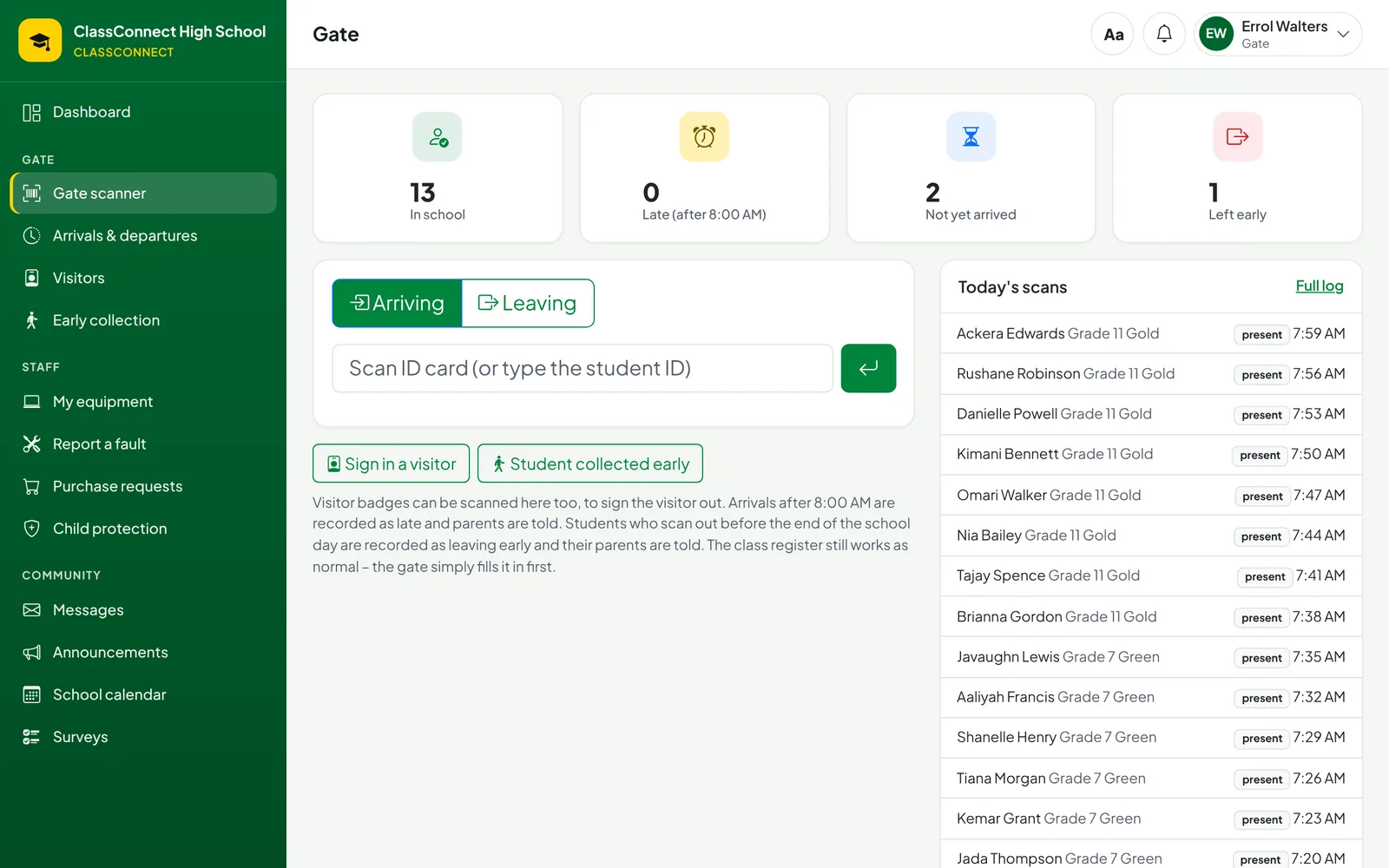
For administratorsGate scanning
Scanning in marks the student present, or late after the time you set. Scanning out before the last bell records an early leave.
- Parents told about late arrivals and early leaves
- The same card works at the library desk and the canteen
Visitors
Visitors sign in with a printed badge; the member of staff they're seeing is told; the badge is scanned on the way out.
- A searchable visitor log
- ID details stored encrypted
Early collection
Parents list the adults allowed to collect their child. The gate checks that list, records the early leave and tells the parents.
- Anyone not on the list needs a named senior member of staff to approve
Staff attendance, leave & cover
Staff sign in and out; leave requests are approved online with sick notes attached.
- A cover planner showing who is free each period, fewest covers first
- Printable cover sheets and notices to everyone involved
Pastoral care & safety
Notice the students who need help early, and handle the most sensitive information with care.
Behaviour
Log incidents, tell parents and record their acknowledgement, and follow up with detentions, counselling or meetings.
- Behaviour improvement plans
- Patterns by student, class and type
Grade supervisors & deans
Each grade supervisor sees their grade: registers, attendance, report progress, incidents and early-warning students.
- Detentions scheduled with notice to parents
- Parent meetings that parents confirm or reply to online
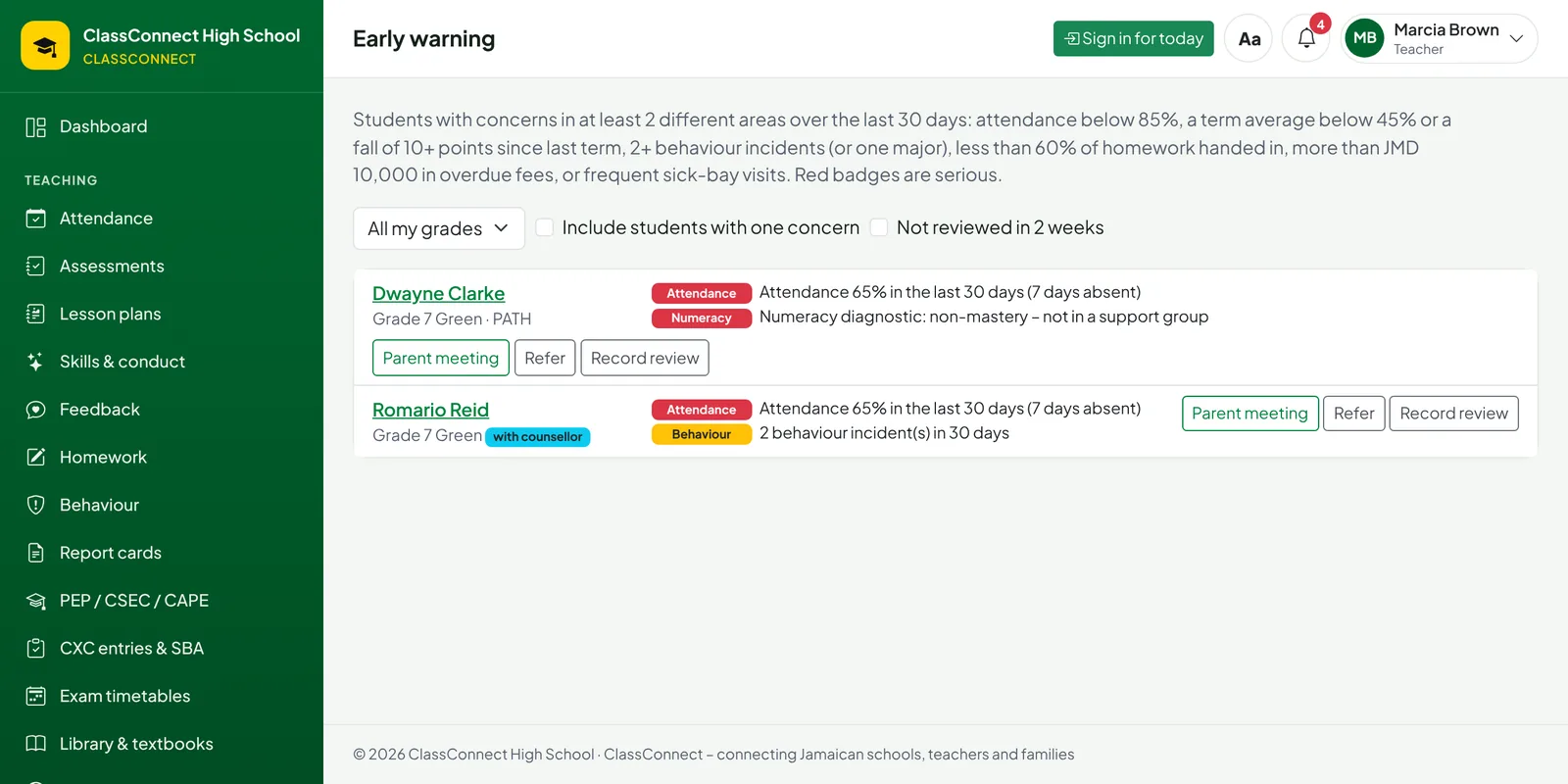
Early-warning list
Flags students who are slipping in several areas at once: attendance, falling marks, behaviour, homework, overdue fees and sick-bay visits.
- Thresholds set by the school
- A weekly list every Monday to each grade supervisor, the deans and the counsellor
- Staff record what is being done for each student
Guidance counselling
Confidential session notes, support plans for special needs and referrals from any member of staff.
- Notes encrypted and, if you choose, visible to the counsellor only
- Support plans that can be shared with teachers or parents
Child-protection log
Any member of staff can report a concern. Only the designated lead, and anyone they share a case with, can read it – not even administrators.
- Every opening of a case is recorded
- A deadline for the report to the CPFSA, with reminders
- Notifications never name the child
Sick bay
The nurse records visits, temperatures, outcomes and medication given, with a consent check.
- Parents told by app and email
- A list of frequent visitors
Parents & students
Keep families in the loop without phone calls and notes home.
Parent app
All of a parent's children under one account: grades, report cards, attendance, homework, behaviour, fees and lunch credit.
- Works in any phone browser and can be added to the home screen
- Real notifications on the phone
Student app
Homework due and handed in, grades, feedback, timetable, exam seat, badges and library books.
For studentsMessages & notifications
Teachers message parents and students; administrators send announcements. New grades, reports, closures and reminders arrive as notifications, with optional email.
For everyoneParent-teacher evenings
Parents book a short slot with each of their child's teachers online. No double-booking, and siblings' appointments can't clash.
- Teachers set their table and block breaks
- Printed schedules for teachers and parents
- Reminders the day before
Trips & permission slips
Invite classes, collect e-signed permission, phone numbers and medical notes, and put the cost on the fee account only for students who are going.
- Capacity limits and reminders
- A headcount sheet and a count-out, count-back screen on the day
Surveys
PTA, end-of-term and wellbeing surveys for parents, students or staff – anonymous by design.
- Reminders to people who haven't answered
- Results with charts
School calendar
Exams, PTA meetings, holidays and closures, with a calendar feed for phones.
For everyone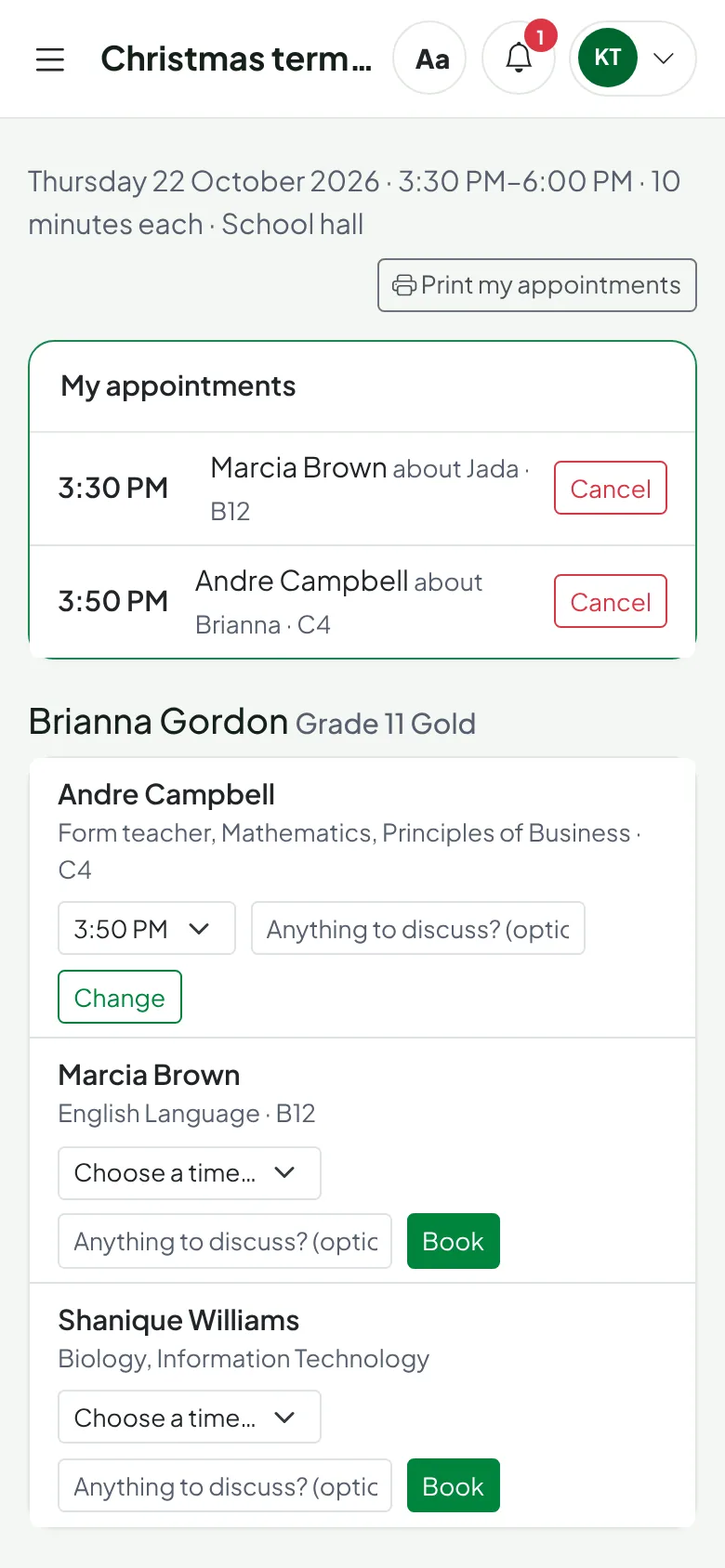
Money & operations
The bursary, canteen, library and stores, connected to everything else.
Fees & payments
Auxiliary fees, lunch, trips and books charged by class, grade or student, with discounts, receipts, statements and reminders.
- Parents see their balance in the app
- PATH discounts
- Payments are recorded at the bursary; online card payments can be added later
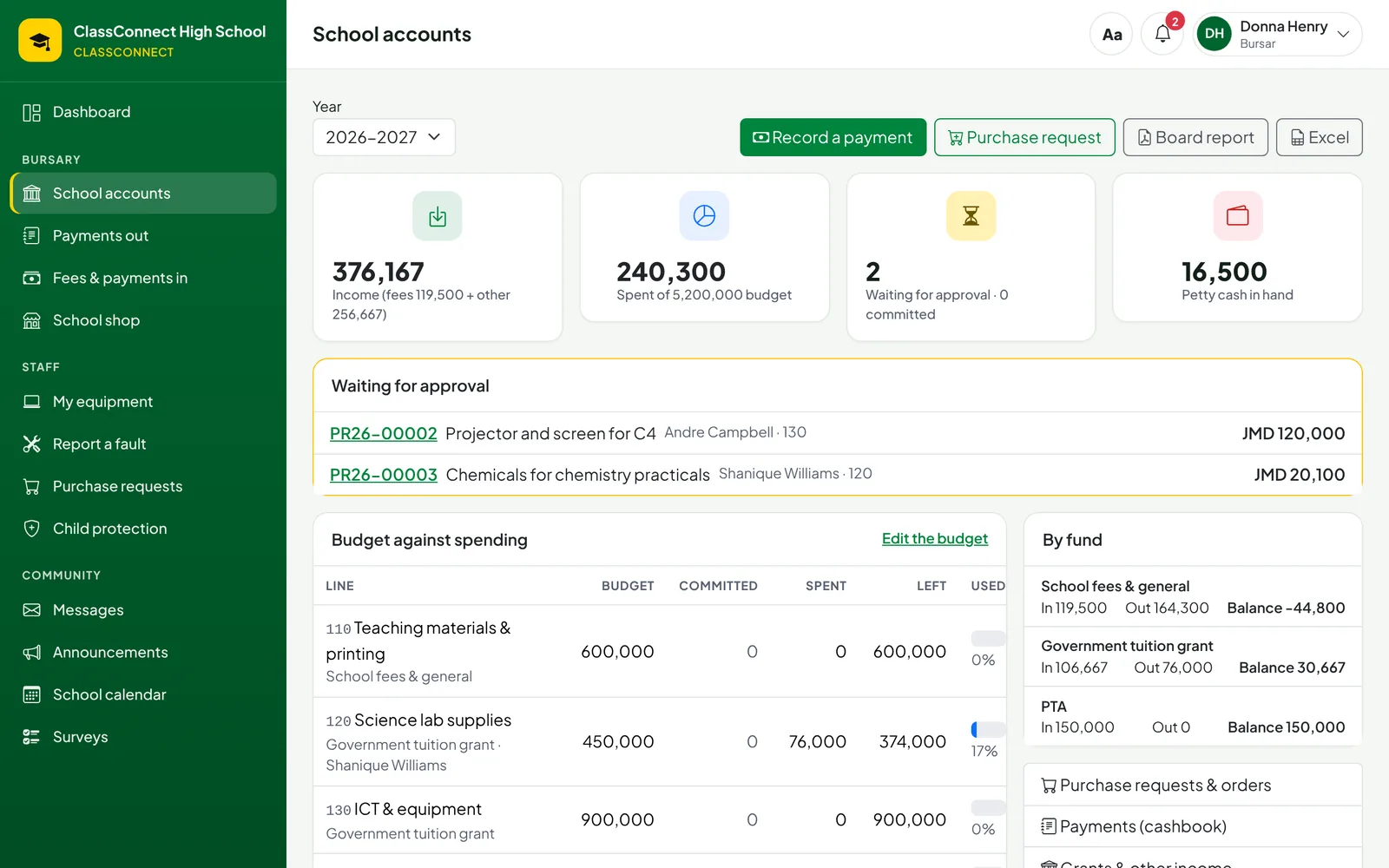
School accounts
A yearly budget by line and fund – school fees, the government tuition grant, PTA and donations – with spending tracked against it.
- Purchase requests from any member of staff
- Approval by the bursar up to a limit, or the principal above it; nobody approves their own
- Purchase orders, supplier payments with numbered vouchers, and petty cash
- A finance report for the board and an Excel export
Lunch & PATH meals
The canteen scans ID cards. PATH students eat free and are recorded; everyone else uses prepaid credit topped up at the bursary.
- One lunch a day unless overridden
- Low-credit messages to parents
- A daily meal register and a PATH return
School shop
Sell uniforms, textbooks and stationery by scanning item barcodes and the student's ID card.
- A normal fees receipt, or put it on the student's account
- Stock levels, low-stock alerts and re-ordering through purchase requests
Library & textbook rental
A catalogue with barcode labels and one scan box for issuing and returning books.
- Textbook rental by class with the fee charged once a year
- Overdue lists and reminders
- Lost books charged at replacement cost
Inventory & assets
Lab equipment, computers, furniture and projectors by room, with asset-tag labels.
- Loans to staff and a repair log
- Stock checks by scanning each room
- Equipment bought through the accounts is added automatically
School life
Recognise the things that happen outside the classroom.
Houses
House standings, points and top earners, with houses allocated automatically and siblings kept together.
For everyoneClubs & teams
Members and roles, achievements, and badges awarded automatically.
- A co-curricular line on every report card
Sports meets & Champs
Enter athletes for meets such as ISSA Boys' and Girls' Championships, with age classes worked out for you.
- Eligibility checks: term average, attendance, time enrolled, medical clearance and events per athlete
- Administrator override with a recorded reason
- Entry lists, results and team points
Administration & the Ministry
The paperwork the school has to do, done for you from records you already keep.
Online admissions
A public Grade 7 (or any intake) application form with PEP details and document uploads.
- Accept, wait-list or decline with emails to parents
- One click creates the student, parent login and class
Bulk import
Bring in students, parents and staff from Excel or CSV, with a preview before anything is saved and printable login slips.
For administratorsMinistry returns
The Annual School Census as an Excel workbook, plus enrolment, attendance, performance and staff returns.
For principal, officePEP placement import
Import the PEP placement list so the Grade 7 intake arrives ready to enrol – even without parent emails.
For officeInspection & board
Policies with board approval and review dates, the School Improvement Plan and filed evidence.
- A generated evidence pack covering the NEI's eight indicators, with no student names
- A principal's report for the board
Year-end promotion & archive
Move students to next year's classes, then archive the finished year so the system stays fast.
For administratorsBranding
Your crest, colours, principal's signature, school stamp and letterhead on every page and document.
For administrators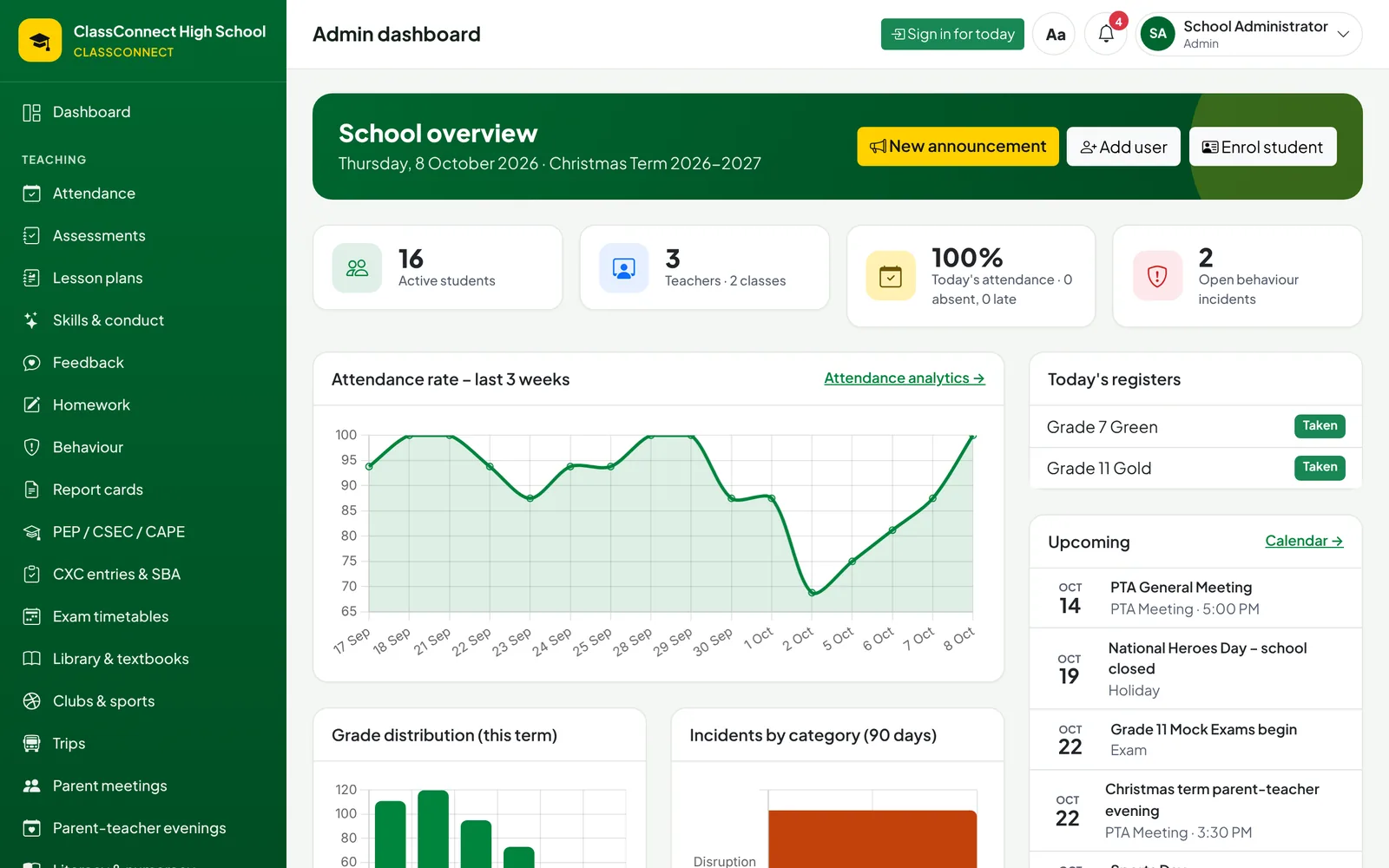
Privacy, security & accessibility
Built for the information schools hold, and for everyone who uses it.
Data Protection Act, 2020
Consent records, a privacy page for parents, subject-access exports, anonymising on request and retention rules with a daily clean-up.
For principal, data protection officerEncryption & audit log
Sensitive fields such as addresses, TRNs, medical and counselling notes are encrypted in the database. Every change is logged without exposing those values.
For everyoneRoles & permissions
Each person sees only what their role needs – from the gate to the bursary to the counsellor's office.
For everyoneAccessibility
WCAG 2.2 AA colours that adjust to your brand colours, larger-text and high-contrast modes, keyboard access, screen-reader labels and large touch targets.
For everyone